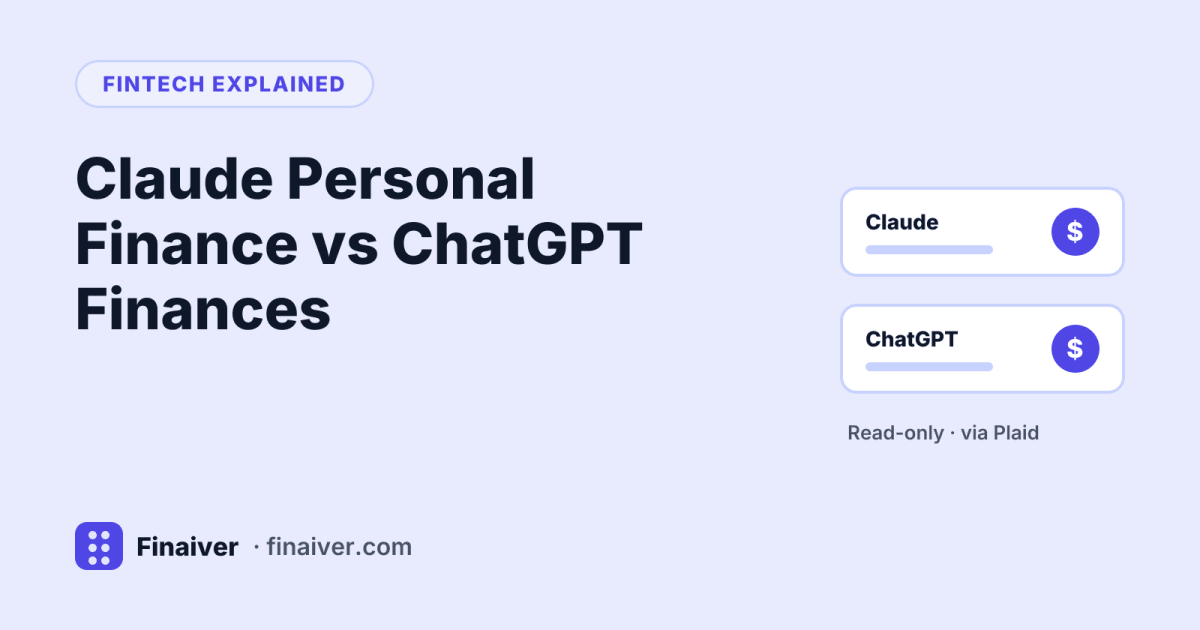
On 5 November 2026 Anthropic launched Personal Finance in Claude, a beta that lets you link your bank and card accounts and ask Claude questions about your own money. OpenAI has offered something similar, Finances in ChatGPT, since May 2026. Both connect through Plaid, both are read-only, and both are US-only. They differ in who can use them, how much they can see, and what happens to your data afterwards.
The short version: ChatGPT Finances does more and is open to more people, including the free plan, and it can add your Experian credit report and investment holdings. Claude Personal Finance sees less and keeps less: it needs a paid plan, reads only balances and transactions, and its finance chats are kept out of training and memory by default. Which one suits you depends on whether you care more about features or about keeping your bank data contained.
We built this comparison from the two official help pages, read on 14 November 2026. We did not link real bank accounts for this article, so nothing below is a claim about answer quality. For that, see our ChatGPT vs Gemini vs Claude money test.
At a glance
| Claude Personal Finance | ChatGPT Finances | |
|---|---|---|
| Launched | 5 November 2026 (beta, rolling out gradually) | May 2026 |
| Plans | Pro, Max and Ultra (not Free, Team or Enterprise) | Free, Go, Plus and Pro |
| Countries | US only, US banks only | US only |
| Connection | Plaid | Plaid for accounts, Experian for your credit report |
| What it reads | Bank names, account names and types, last four digits, balances, credit limits, up to 24 months of transactions | Balances, transactions, bills, subscriptions, investment holdings, plus your Experian report and VantageScore 3.0 if you connect it |
| Investments and loans | Balances and credit limits only, not holdings, trades, rates or terms | Portfolio allocation and daily changes in stock and ETF holdings |
| Can it move money? | No | No |
| Training | Chats in the Personal Finance hub aren't used for training | Follows your normal ChatGPT training setting |
| Memory | Chats that used your accounts aren't saved to memory | Saves "financial memories" you can view or delete |
| Bank limit | Up to 16 banks | Not stated |
| Ads | None, and no own-brand cards, loans or savings accounts | Not stated on the help page |
What Claude Personal Finance does
You open Personal Finance from Claude's side menu (under "More" if you don't see it), choose some goals or skip them, and link accounts through Plaid. You sign in to your bank inside Plaid, so Claude never asks for or sees your bank password. It works on the web, the desktop app, iOS and Android.
Once linked, you get a page of widgets (spending, cash flow, accounts, subscriptions, upcoming bills and short insights) that you can add to, edit and reorder. You can ask questions on that page or in an ordinary chat, such as "Where did my money go last month?" Anthropic's launch post says Claude can point out duplicate charges, unexpected fees and bills that have crept up, explain terms like APR and add up the interest you've paid, and build charts or dashboards you can keep adjusting.
The limits are worth knowing before you sign up:
- It reads less than you might expect. For investment, loan and card accounts, Claude reads balances and credit limits only, not holdings, rates or terms, even if Plaid's own screens ask you to share more.
- Paid plans only. Free, Team and Enterprise accounts don't get it, and moving to a Team or Enterprise organization unlinks your banks.
- Not everywhere in Claude. Linked accounts can't be used in scheduled tasks, Cowork tasks or Claude Code, and may not work inside a project.
- Unlinking your last bank resets the dashboard. Your widgets, budgets and setup answers are deleted, and Anthropic says this can't be undone.
What ChatGPT Finances does
In ChatGPT you open Finances in the sidebar and select "Get started", or type @Finances (or /finances) in any chat. It covers more ground than Claude's version:
- A wider dashboard: spending by category, spending this month against recent trends, upcoming payments, subscriptions, bills, net worth over time, portfolio distribution and a daily market update for your holdings.
- Your credit report: a separate Experian connection shows your report and VantageScore 3.0. OpenAI says checking it is a soft inquiry that doesn't affect your score, and the score updates monthly. Remember that VantageScore 3.0 may not be the score your lender uses.
- Financial memories: you can tell ChatGPT things it can't see, such as a car you're saving for or money you owe family, and it saves them as a dedicated type of memory for future money chats.
- Free plan access. It's the only one of the two you can try without paying.
OpenAI's help page is clear about the limits too. ChatGPT can't move money, pay bills, make trades, open or close accounts or file taxes, and it says it isn't a fiduciary, registered investment adviser or tax preparer.
Privacy: the biggest difference
Both services read your data through Plaid and neither can act on your accounts. Where they differ is what happens to the conversation.
Training. Anthropic says chats in the Personal Finance hub aren't used to train its models. Outside the hub, your normal Claude privacy settings apply. ChatGPT Finances follows whatever training setting you've chosen across ChatGPT, which you can change in Settings > Data controls. If you use ChatGPT Finances, check that setting first.
Memory. Once Claude has used your linked accounts in a chat, it's designed not to save anything from that chat to memory, not to search it later, and to leave it out of your monthly recap. ChatGPT does the opposite on purpose: it keeps financial memories so later answers have context. You can view and delete them from the Finances page, and temporary chats in ChatGPT don't access your accounts or create memories at all.
Deleting your data. When you disconnect Finances or remove an account in ChatGPT, OpenAI says synced account data is deleted from its systems within 30 days, and from Plaid within 30 days for that connection. Claude's help page says unlinking a bank stops Claude reading it, and you can also revoke access at my.plaid.com. On both services, anything already written in your chats stays there until you delete those chats.
Sharing. Claude's help page warns that a shared chat link shows the figures from your accounts, and that an artifact made from your data shows those figures to everyone who opens it. Claude asks before it publishes an artifact from a chat that used your accounts. The same care applies to any shared ChatGPT conversation.
Problems both share
Neither help page promises perfect numbers, and both list the same failure points:
- Balances can lag. Claude says balances can be a day or two old. ChatGPT shows a last-sync time for each account.
- Double counting. If the same account appears under two logins, it can be counted twice in your totals.
- Transfers counted as spending. ChatGPT notes that transfers, card payments, reimbursements and duplicate pending transactions can inflate a spending breakdown.
- Missing banks. If a bank stops sharing data, its spending drops out of the totals. Claude warns this can make a budget show more money left than you really have.
- AI mistakes. Both say the AI can be wrong and that you should check important figures against your bank's own app or statement.
Our own tests back that last point. When we tested AI expense categorization, the AI's written summary disagreed with its own rows, and in our three-chatbot money test every app made at least one maths mistake without flagging it.
Which one should you use?
- You don't pay for either: ChatGPT Finances is your only option of the two.
- You want everything in one place, including investments and your credit score: ChatGPT reads more and shows more.
- You mainly want to understand your spending and keep your bank data out of training and memory: Claude's defaults are stricter.
- You already pay for one of them: start with that one. The core job, sorting transactions and answering "where did my money go?", is the same on both.
Either way, these are explainers, not advisers. Use them to find things you'd otherwise miss, then make the decision yourself or with a professional.
Before you link a bank to any AI
Since this was written, Google added a similar feature to Gemini and banks including Citi changed their terms on AI agents. See is it safe to connect your bank account to ChatGPT, Claude or Gemini?
- Link one account first, usually your main checking account, and see whether the answers are useful before adding more.
- Check the training and memory settings (Settings > Data controls in ChatGPT; in Claude, keep money chats inside the Personal Finance hub).
- Never paste account numbers or logins into a chat. Both services connect through Plaid so you never have to.
- Ask which transactions are behind any number before you act on it.
- Review connections at my.plaid.com every few months and revoke the ones you no longer use.
- Delete old money chats if you don't want the figures kept in your history.
Next step
Whichever AI you use, check the numbers that matter. Our free AI Budget Forecaster calculates every figure in code, and the Finance Solver shows the working for loan, savings and interest questions. For a wider look at where AI helps in money apps, read AI in finance apps: what actually helps. Prefer a budgeting app you already use? Some, like Monarch, can connect to AI assistants another way: see finance apps with MCP connectors.
Sources: Anthropic, "Introducing Personal Finance in Claude" (5 November 2026) and the Claude Help Center article "Use Personal Finance in Claude"; OpenAI Help Center, "Finances in ChatGPT". All read on 14 November 2026. Both features are new and still changing, so check the official pages before you rely on a detail. This article is general information, not financial advice.